MedViz Temporal Distribution Bar
Redesigning the timeline bar for clarity, interactivity, and efficiency.
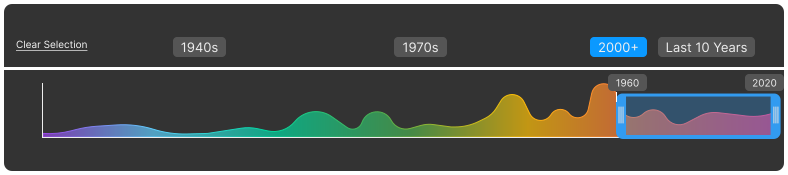
Redesigned the Temporal Distribution Bar to improve visual clarity, spatial efficiency, and usability. The new design ensures that users can analyze temporal trends more intuitively while integrating seamlessly into the MedViz ecosystem.
A redesigned temporal distribution bar that enhances clarity, interactivity, and efficiency, making timeline-based data exploration more intuitive.
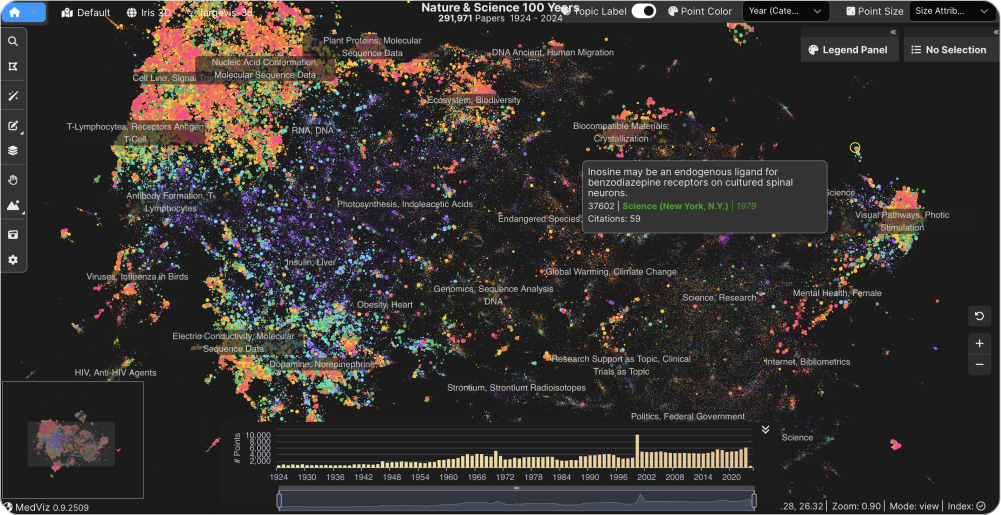
- The original bar lacked visual hierarchy, making it difficult for users to interpret temporal data density at a glance.
- Filtering interactions were not intuitive, causing drop-off during data exploration sessions.
- How can we surface data density without overwhelming the view?
- What interaction pattern best supports range selection?
- How do color and spacing affect scanning speed and comprehension?
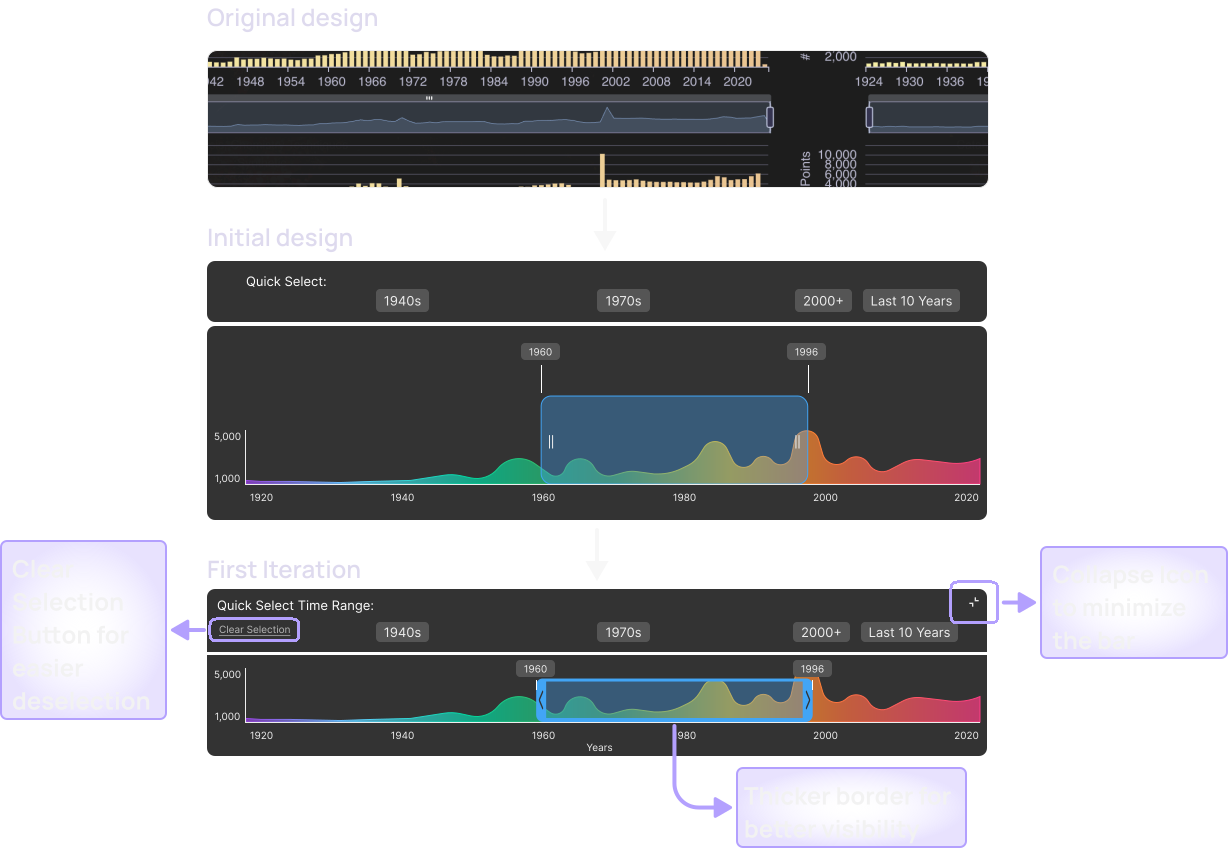
How the Design Evolved
Initial Design: Translating Insights into the First Concept
First Iteration: Improving Visibility & Selection Flow
- Added collapse icon to minimize the bar if users need more space.
- Thickened the time range selector border for improved visibility.
- Added a Clear Selection button to make deselection easier (instead of requiring users to re-click their selected time range).
Second Iteration: Enhancing Visibility & Accessibility
- Refined user flow to keep the rainbow timeline visible.
- Checked and adjusted colors to meet AAA contrast standards, ensuring better readability across all components.
Testing confirmed that the refined user flow improved usability, ensuring the rainbow timeline remains visible and interactions feel more intuitive. All 3 participants completed range selection in under 10 seconds, with satisfaction improving from 2/5 to 4.3/5.
Keeping the rainbow timeline visible throughout interactions helps users better track temporal trends.
The collapsible bar ensures flexibility, allowing users to focus on key insights while maintaining easy access to controls.
Adjusting color contrast for AAA compliance ensures better readability, making the visualization usable for a broader audience.
User feedback helped refine selection logic, leading to a more intuitive and efficient interaction flow.